 Learn hubBlog
Break down COIN TRADES — market buys and sells per bar, units and output modes.
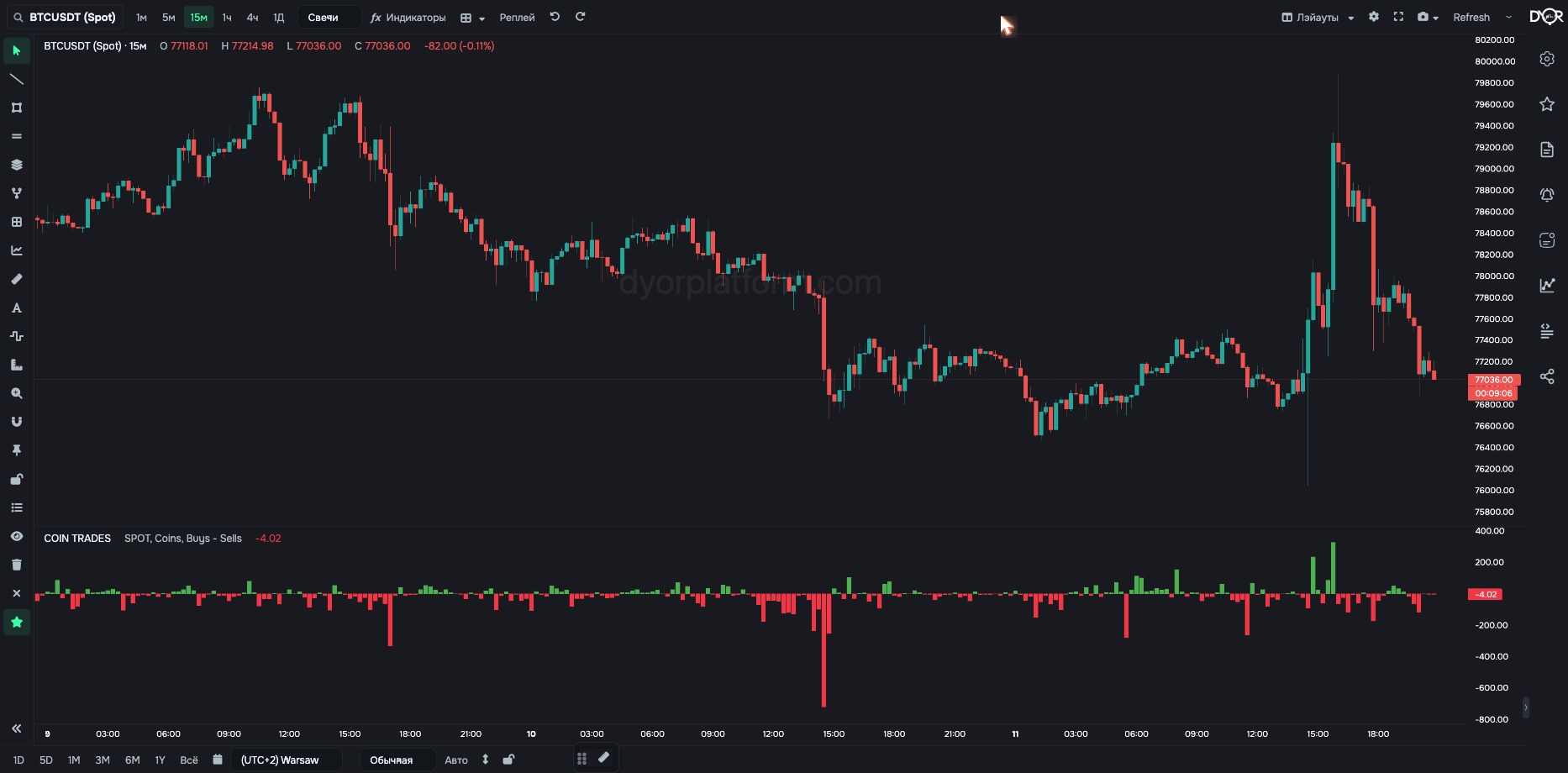
Market trades per bar: how much was bought and how much was sold.
What it's based on: only market trades count, i.e. takers — those who filled an order immediately instead of waiting in the order book.
How it differs from the order book: these are executed trades, not orders. An order can be pulled, a trade can't.
Find out who acted rather than waited. An order in the book can be pulled, a market trade has already happened.
For example.
| Field | Options | Default | What it changes |
|---|---|---|---|
| Market Type | SPOT FUTURES | SPOT | Whose trades to count: Binance spot or futures market. - Want trades of those buying the coin itself — SPOT. - Want leveraged trades — FUTURES. On Coinbase and Hyperliquid the switch has no effect: Coinbase is spot only, Hyperliquid is futures only, the value is set by the exchange automatically. |
| Ask Bid Type | Coins Millions $ Raw $ | Coins | Volume units. The field is named this way in the interface, even though it applies to trades. - Want to compare coins with each other — Millions $. - Want volume in the coin itself — Coins. Raw $ — dollars without division, for small coins where millions show only zeros. |
| Values Type | Buys Sells Buys − Sells Sells − Buys Buys ÷ Sells Sells ÷ Buys | Buys − Sells | What to draw: one side, their difference or their ratio. - Want the skew as one line — Buys − Sells. - Want only one side — Buys or Sells. - Want how many times more — Buys ÷ Sells. |
| BTC Pairs | ALL USDT ONLY | ALL | Works only on Binance and only on BTC. ALL — sum of three pairs: BTCUSDT + BTCUSDC + BTCFDUSD. USDT ONLY — only the BTCUSDT pair. For other Binance coins the data is always for the USDT pair; the parameter changes nothing. No effect on Coinbase and Hyperliquid: there bitcoin has one pair — BTC/USD and BTC/USDC. - Want all Binance bitcoin — ALL. - Want to compare with a source that counts only BTCUSDT — USDT ONLY. |
| Exchange | Chart Binance Coinbase Hyperliquid | Chart | Which exchange to take data from: Chart — the same one as the chart. Binance — spot and futures, USDT pairs. Coinbase — spot only, USD pairs. Hyperliquid — perpetual futures only, USDC pairs. Coinbase and Hyperliquid are available on paid plans (“Exchanges” screen). They have candles, trades and the order book. Derivatives, liquidations and loans show “no data” for them. - Want to compare one coin across exchanges — add the indicator several times and pick a different exchange in each. |
Metric COIN TRADES. Condition fields:
“BTC pairs” appears only when the coin is BTC.
TOTAL TRADES — the same, summed across the whole market. Fields: Market Type, Values Type.
COIN TRADES — executed market trades per bar. By default buys minus sells: bar up — more was bought, down — more was sold. An order in the book can be pulled, a trade can't.
A red COIN TRADES bar pointing down means…
Correct answer: More was sold at market than bought during the bar
A COIN TRADES bar up by $10M is…
Correct answer: Market buys during the bar exceeded market sells by $10M