 Learn hubBlog
Break down how an alert is built: the three parts of a condition, 41 metrics, 11 operators, where to send it and what the plan gives you.
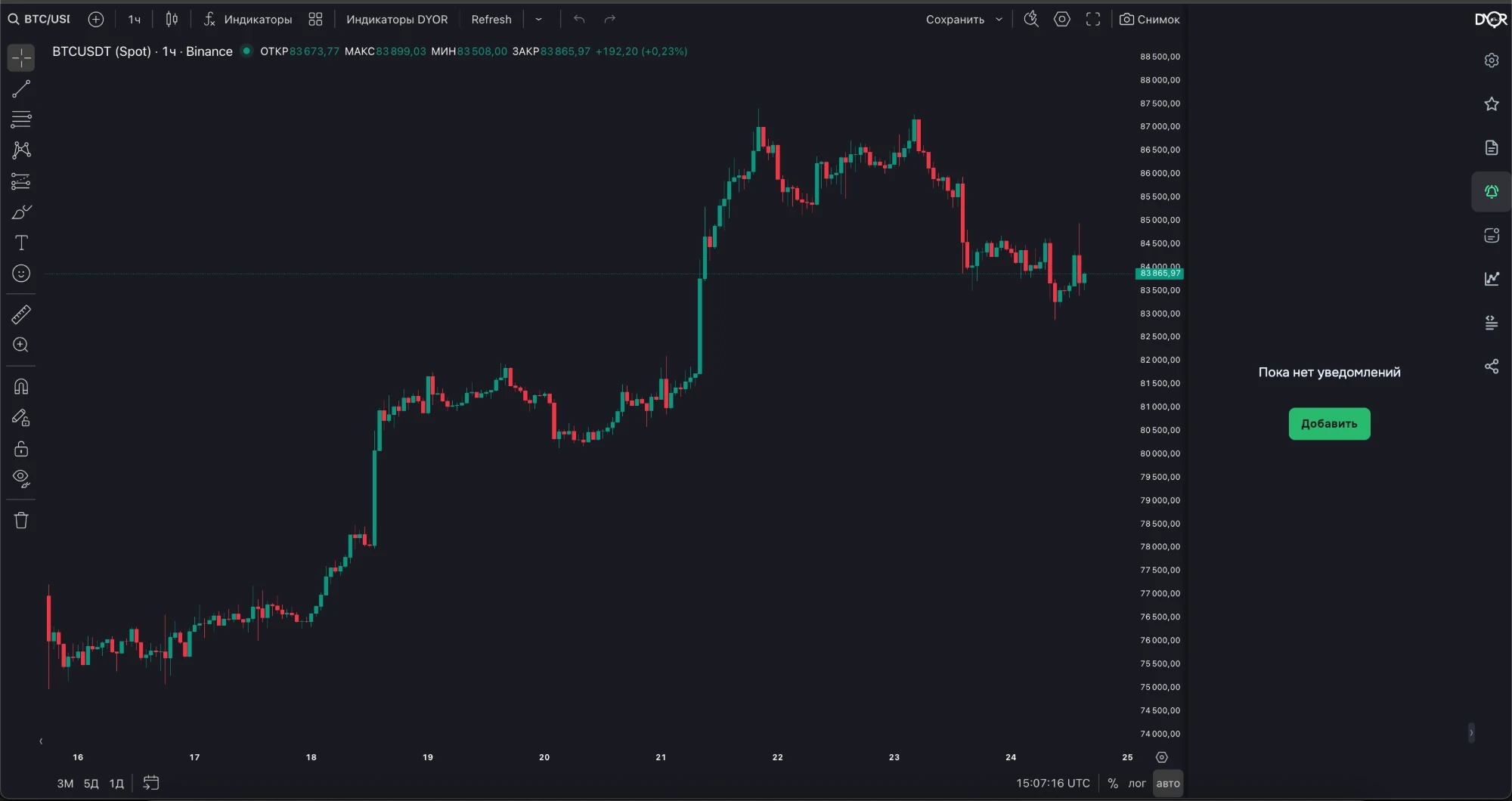
A condition the platform checks every minute, and a message that goes out when the condition becomes true.
A condition is a line of three parts: left metric · comparison · right metric. For example: COIN B&A DIFF at 3% · > · 50.
No need to keep the chart in front of you. The condition is checked every minute, the message arrives when it becomes true.
For example.
Right rail → Alerts. The empty panel has an Add button, above the list — Create alert. Both open the same editor.
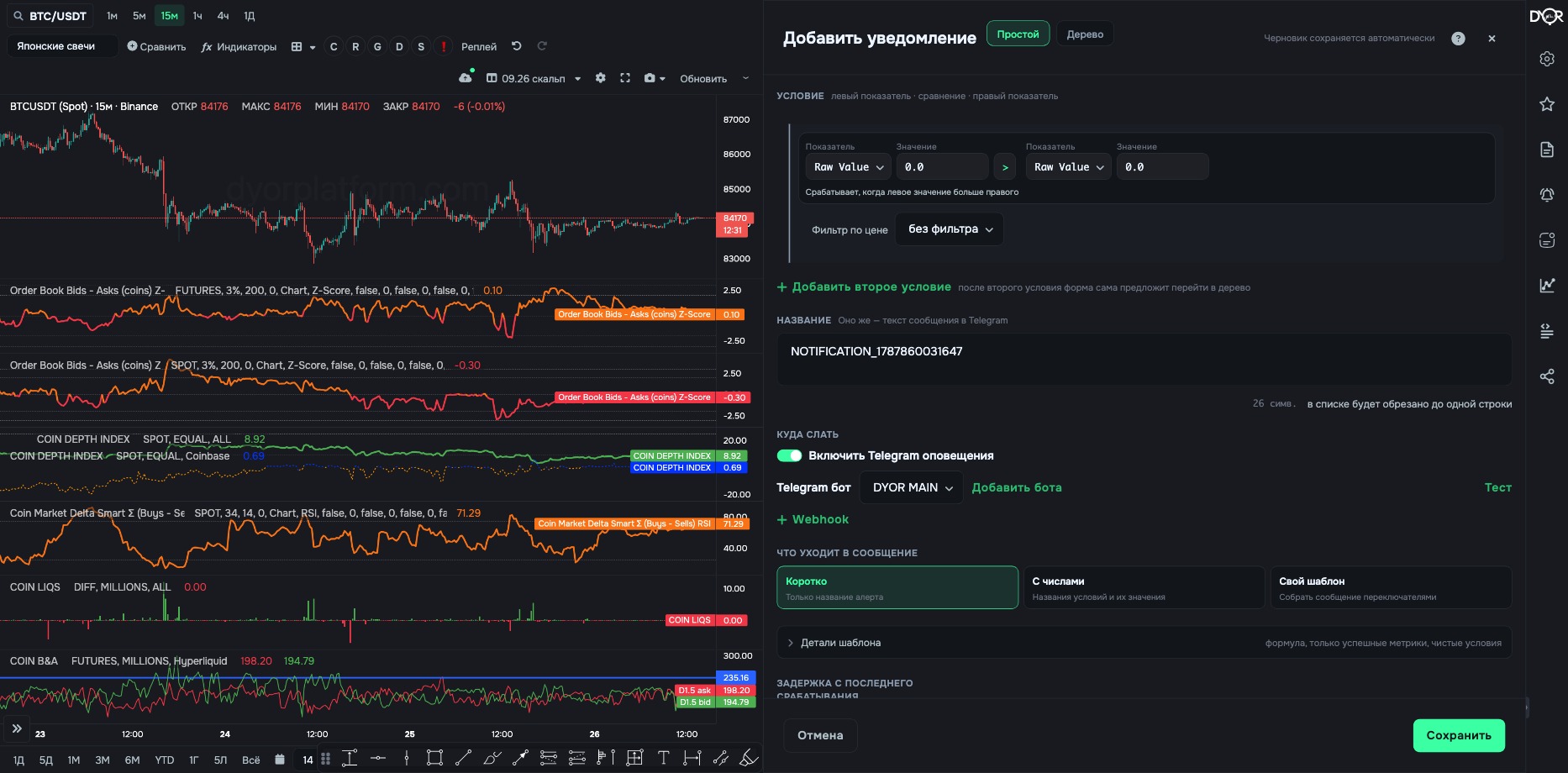
1. Mode. The Simple and Tree buttons in the header. Simple — one condition or several on one level. Tree — nested groups. Once there are more conditions than the simple form can hold, only the tree remains. The draft is saved automatically. The “Guide” button gives tips on the editor.
2. Condition. A line “left metric · comparison · right metric”.
3. Condition tree. Groups with a name and color (None / Green / Yellow / Red), AND or OR inside a group, groups nest inside each other. Each row and group has an action panel: add condition, add group, duplicate, ↑ / ↓, copy and paste into another group, collapse / expand, delete. The toggle on a row or group temporarily turns it off without deleting it — that puts the alert in the “Partial” segment. At the top: search by conditions, “Collapse all / Expand all”, breadcrumbs “depth N of M”.
4. Name. This is the text of the Telegram message. In the list it is cut to one line.
5. Where to send.
6. What goes into the message. Three presets: Short — name only; With numbers — condition names and their values; Custom template — built with toggles in “Template details”: display only custom text, include formula, show only success metrics, raw conditions, custom names, result values, include current price for coin (and which coin). Below it, “Message preview” — the exact text as it will arrive.
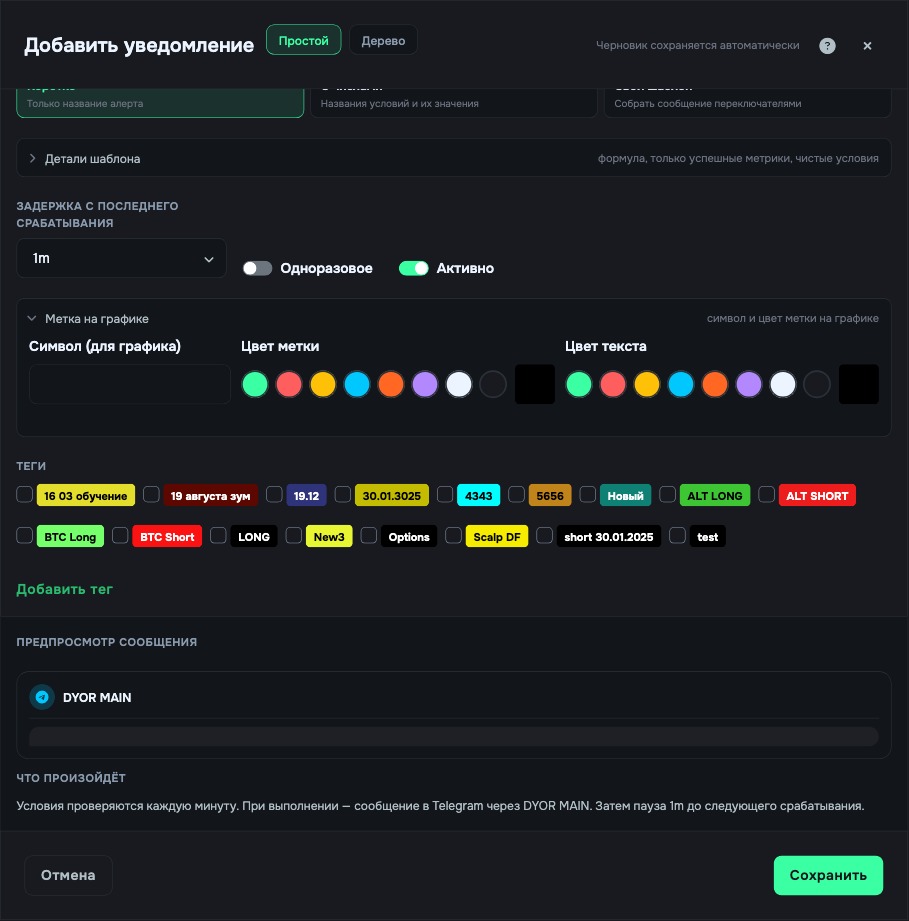
7. Delay since last fired. 1m · 3m · 5m · 10m · 15m · 30m · 1h · 2h · 4h · 6h · 8h · 12h · 1d · 2d · 3d · 5d · 7d. Until the pause is over, the alert is not checked. Toggles: Is One Shot — the alert is deleted after it fires; Is Active — on or off.
8. Chart mark. A symbol of up to two characters, mark color (eight presets or your own), text color.
9. Tags. Your own labels for filtering the list.
10. At the bottom. “What will happen” — the assembled condition retold in words, check against it. Buttons: Cancel, Share (link or JSON), Save.
| Operator | Type | What it means |
|---|---|---|
| > · < · >= · <= · = | state | True the whole time it holds. With a 1m pause it sends a message every minute. |
| ↗ · ↘ | event | Crossing from below or from above. One message at the moment of the breakout. |
| ↗ +% · ↘ −% | event | The left side rose or fell by X% compared with the previous bar. No right side needed. |
| >= − % · <= + % | state | Threshold with tolerance: left ≥ right − X% or left ≤ right + X%. Example from the tooltip: left 80, right 90, 10% → 80 ≥ 81 does not hold. |
You can build and save an alert on any plan. Turning it on requires a subscription.
An alert is a condition “metric · comparison · metric”. The platform checks it every minute and sends a message with the text from the name. The > < = operators describe a state and send while it lasts. The ↗ ↘ operators are an event: one message at the moment of crossing.
The condition “BTC price > 60000” with a 1m pause after the breakout gives…
Correct answer: A message every minute while price is above 60000
You need one message when COIN B&A DIFF crosses zero from below. Which operator?
Correct answer: ↗