FreeStart · Assistant
Goal
Take apart the “Ask DYOR” assistant: where it lives, what it can do and what it does not do.
“Ask DYOR” is the built-in AI assistant. It answers questions about indicators, tools and platform features and sees what is open on your screen.
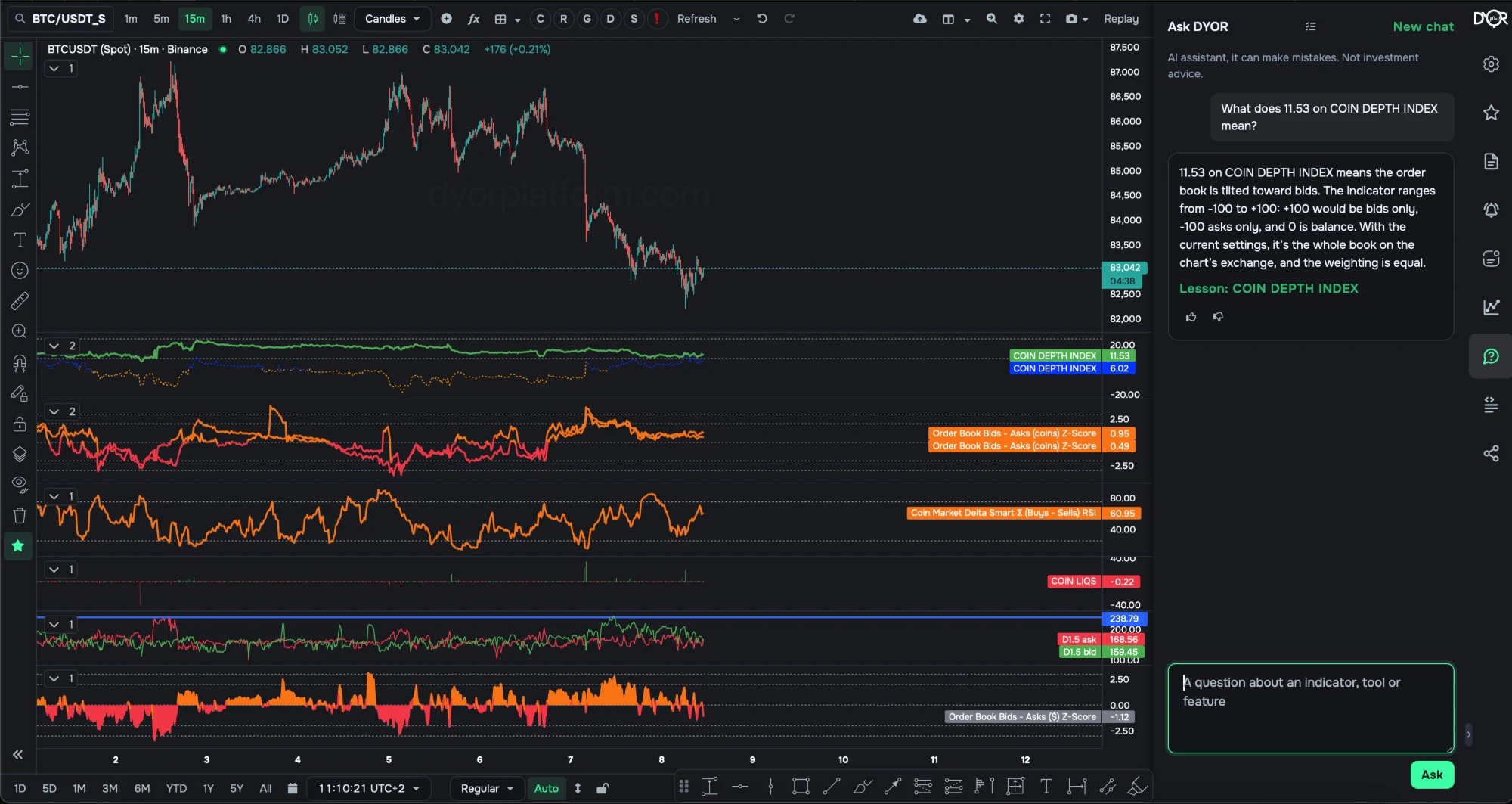
“Ask DYOR” on the workspace: a question about a COIN DEPTH INDEX value, an answer that takes the indicator’s settings into account, and a link to the lesson
What it can do
- Explain a reading. “What does 11.57 on COIN DEPTH INDEX mean?” — the answer takes this indicator’s settings on the chart into account: market, weighting, exchange.
- Link to the lesson. The line “Lesson: COIN DEPTH INDEX” under the answer opens the course lesson.
- Tell you how to add an indicator or where a setting lives.
- Draft an alert. Say “warn me when …” — the alert editor opens with the condition filled in. Checking and saving is up to you.
- Explain why an alert is silent. An alert row has the button “Why silent? Ask DYOR”: the assistant reads the condition and the trigger logs.
- Take a rating. 👍 and 👎 under every answer.
Where to find it
- Right rail → the “Ask DYOR” button. The panel opens to the right of the chart.
- “New chat” in the panel header starts from scratch.
- The assistant is available on the workspace, on the screeners page, in the screener builder and on the notifications page.
Limits
- Open to everyone who is signed in. With a subscription or trial — up to 10 questions a minute and up to 50 a day. Without a subscription — 3 questions a day.
- The assistant can make mistakes and gives no investment advice — that is what it says above the chat.
- It explains tools and readings. Where the price will go, it does not know.
Takeaway
The assistant answers questions about indicators, tools and features right on the workspace, taking the settings of what is open into account. It links to the lesson, drafts an alert and explains why an alert is silent. It gives no signals and can make mistakes.
 Learn hubBlog