 Learn hubBlog
Cover two special types: the “Metric pair” alert metric and a limit alert on a specific large order.
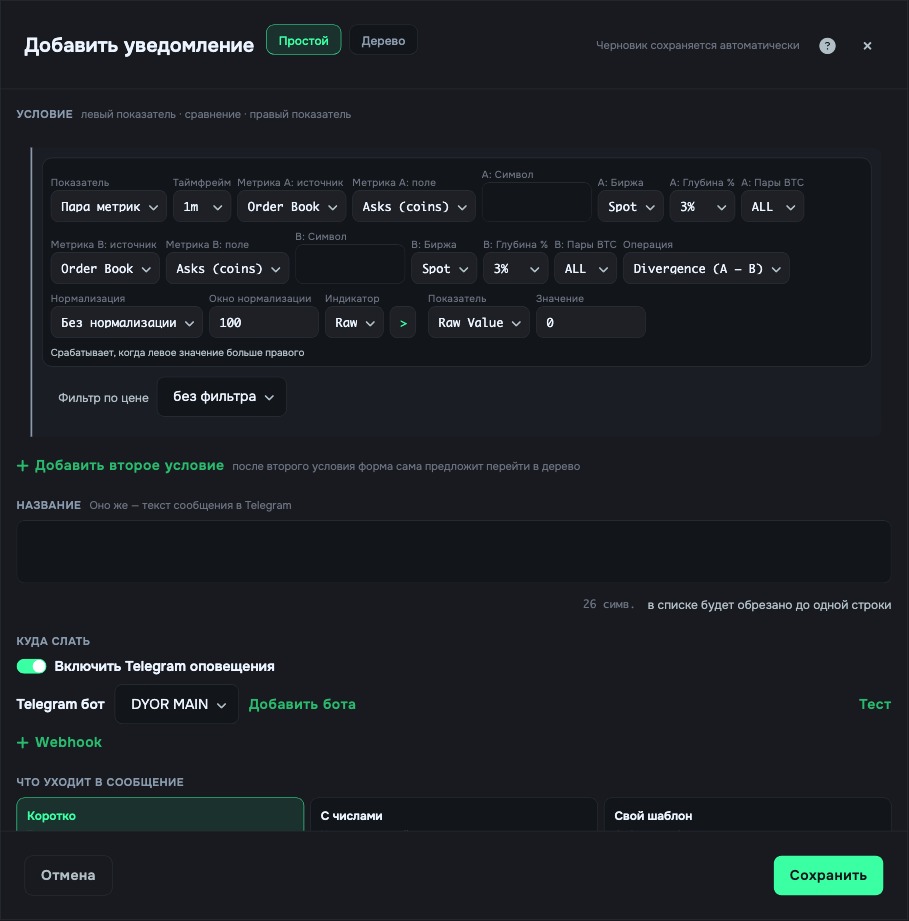
The Metric pair alert metric joins any two sources into one value right inside the alert condition. Fields in order:
Then a regular comparison: an operator and the right-hand metric. For Z-Score and Percentile the form shows a hint on what the result means.
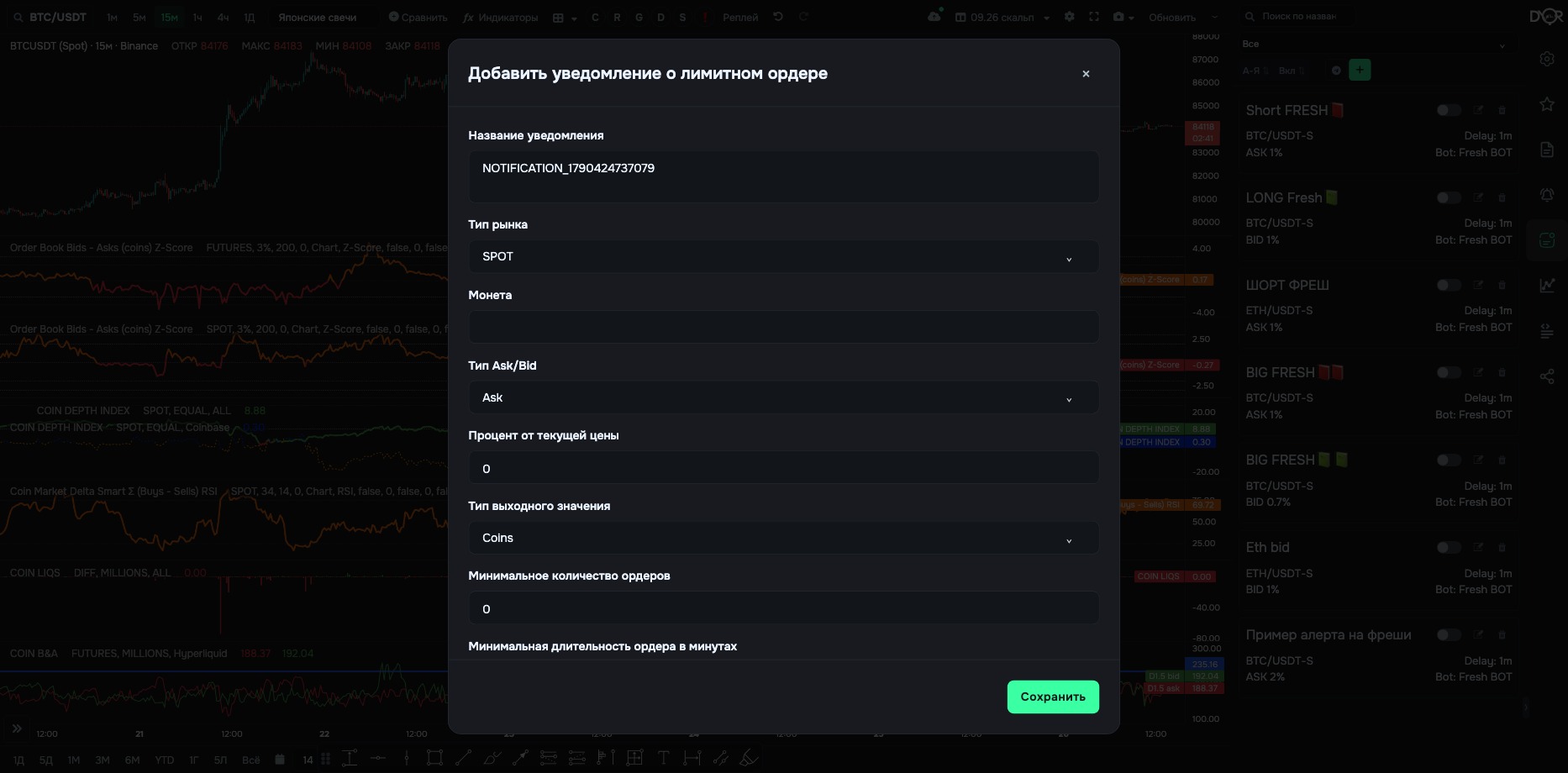
The second alert type. It watches not an indicator value but the appearance of a specific large limit order in the order book. It opens with its own button in the right rail — Limit alerts: the panel lists these alerts, and the green plus opens the form. It isn't in the regular alert list.
| Field | What it means |
|---|---|
| Market Type | SPOT or FUTURES. |
| Coin | From the list. |
| Ask/Bid Type | Which side to watch: BID — large buy orders below the price. ASK — sell orders above the price. |
| Percentage from current price | How close to the price the order must sit. |
| Value Output Type | Coins or USDT. |
| Minimum order quantity | Order size threshold in the selected units, Coins or USDT. That's how the field is labeled in the form; it means the size of a single order. |
| Minimum order duration in minutes | How long the order must stand before you get notified. |
| Name, delay, channel | Same as in a regular alert. |
Plan: on the free plan limit alerts are fully locked — you can neither build nor save one. By eye you can see the same thing with the “Limits on chart” layer.
“Metric pair” joins two indicators into one value right inside the condition, like the compare mode in the Metrics Builder. The limit alert is a separate rail button. It watches not a value but the appearance of an order with a given size, distance from the price and duration. Fully locked on the free plan.
How is a limit alert different from an alert on COIN B&A?
Correct answer: It watches one specific large order, not the sum of orders at a depth